Thursday, November 16, 2006

Riverbed install done.

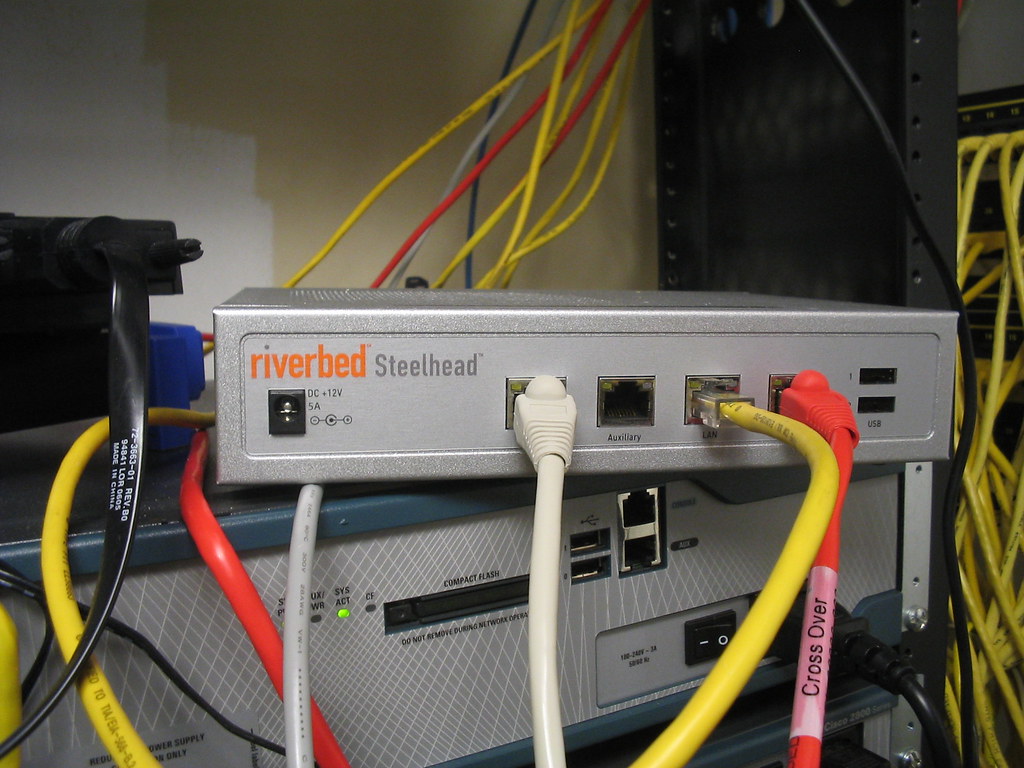
It didn't take long. About an hour on the phone. We are going to have to upgrade the OS on all 6 at some point though. Just like any home router or access point the upgrade is pretty much the same way. Download the OS, browes to where it was saved and install.

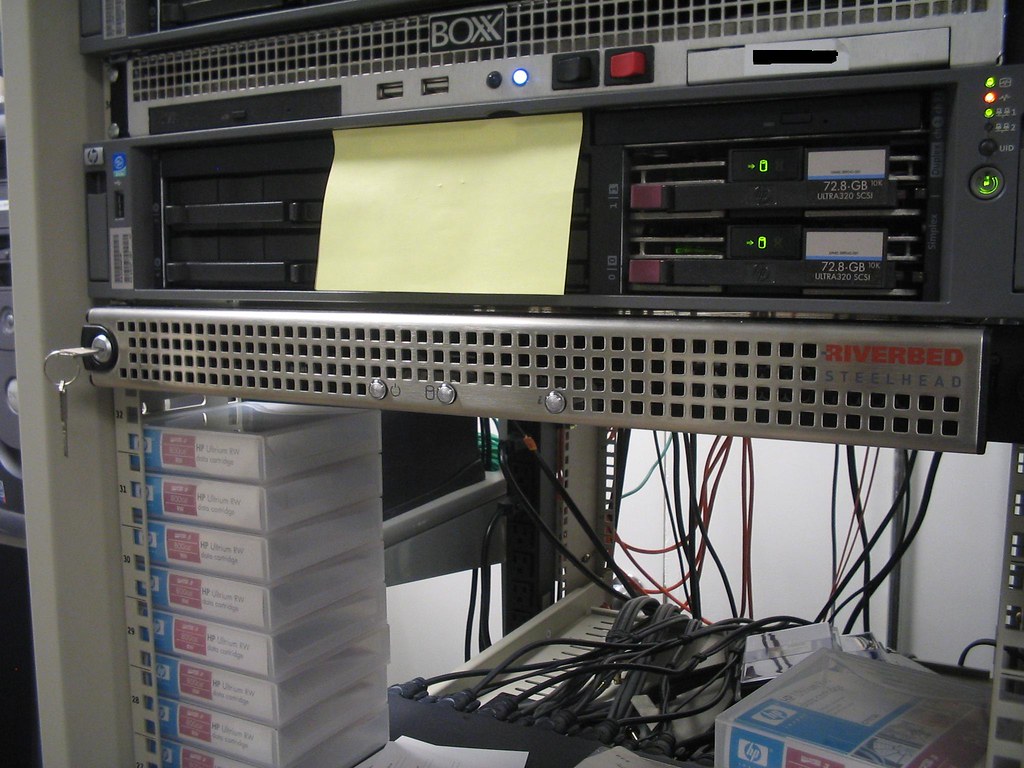
Here they are. This first one is the 1020 and it is connected to another like it in London.
IMG_0005

This next one is the 200 and it is connected to another like it in Shanghai.
IMG_0004

to learn more about Riverbed appliances visit www.riverbed.com

Tuesday, November 14, 2006

Second set of Riverbeds going in..

Our second set of Riverbed devices are going in tomorrow between NY and Shanghai. Nothing special but plug them in between your network and your point-to-point router.

Tuesday, November 07, 2006

IPT rollout continued

We have changed from our original plan of just rolling out IP phones to the office. The phones we were rolling and have started to roll out were the 7941G. We decided to move up to the 7941G-GE. What is the difference? Well the power requirements for both phones for starters and the bandwidth the other. what do I mean? The 7941G is a 10/100 phone that require 6.3W of power. The 7941G-GE is a 10/100/1000 phones that require 12.9W of power. Each WS-3560-48PS switch or any switch for that matter (access layer)provides a maximum of 370W of power. So if loaded up the switch with all 7941G's the power consumption would be 48x6.3W= 302.4W of power. Now that we decided for the more bandwidth option we can not add 48 7941G-GE phones to these switches (alone). They need power bricks or adapters b/c if I added these phones without them the power requirement would exceed what the switch can handle. 48x12.9=619.2W of power. That is almost twice what the switch can put out.

So in order for me to make this work smoothly I am going to disable PoE on the ports so I don't have any mishaps in the future. I'd rather plug a device in the switch and it not power up then plug a device in the switch and it blow out said switch and everything that is plug into it. So I will use the;

(config-if)#power inline never

on the range of ports I want no PoE to. Better safe then sorry.

Monday, October 30, 2006

More on storage

Like I said eariler storage is the single most challenging area for me. We are ordering another DAE (disk array enclosure) for or Clarion CX300 SAN. This is the last one we can add before we have to upgrade the CX500. This new DAE would be about 3.8TB of usable storage. We are also getting another Apple Xserver RAID 7TB raw unit. Our Archive has used up 5TB already. To continue with the growth we need to have more archive space.

Thursday, October 26, 2006

Centralizing storage has allowed us to decommission 5 servers

Since we've had our SAN in place for over a year now we are finally able to get rid of a few servers. Consolidating mostly file servers is the biggest benefit. No more hanging on to these old servers, no more paying for care packs, no more worrying about hardware failures due to age, no more buying racks and UPS like mad for space. I think I've even saw the UPS meter lights drop a few bubbles. LOL.

Wednesday, October 25, 2006

Event ID: 55 continued Not what I expected

The server froze up again yesterday. That would be 3 times in the past week this happend. I never ran the chkdsk /f last night. Instead one of my Admins called up HP to see if they had any say on the matter. It came down to our array controller cards firmware being outdated. So outdated that the HP array configuration util wouldn't open up. And on top of that so outdated or bugged that the array didn't show that we had 2 failed drives. Yes these failed drive were causing the event ID 55 in OS. The firmware was updated and newer diagnostic utils were loaded on the server. Running these new tools we can see the failed drives. HP is sending up 2 replacements this morning.

I must say that from all the server I've Administered old and new I have never seen this problem before. Drive failing and not blinking red inside the array. This server is not that old either ~ 3 years old. Still pretty beefy. This is why carepacks are so important. So for all you cheap companys out there that like to cut corners, budget server warranty and service contracts and stop blaming your Admins for not being able to fix things fast enough.

Tuesday, October 24, 2006

Event ID: 55

So I'm getting this error in my system event log. No big deal accept this is on a 1.7TB volume that is in production. Not sure how long it will take to run chkdsk /f on this volume. This utility forces the volume to dismount kicking anyone off. Around here these people don't like when I have to take the server offline and I'm talking about after hours maintenance. I'll update when I run this util with how long it took.

Event Type: Error
Event Source: Ntfs
Event Category: Disk
Event ID: 55
Date: 10/24/2006
Time: 9:31:15 AM
User: N/A
Computer: **********
Description:
The file system structure on the disk is corrupt and unusable. Please run the chkdsk utility on the volume New Volume.

For more information, see Help and Support Center at http://go.microsoft.com/fwlink/events.asp.
Data:
0000: 00 00 04 00 02 00 52 00 ......R.
0008: 02 00 00 00 37 00 04 c0 ....7..À
0010: 00 00 00 00 02 01 00 c0 .......À
0018: 00 00 00 00 00 00 00 00 ........
0020: 00 00 00 00 00 00 00 00 ........
0028: c2 00 22 00 Â.".

Thursday, October 19, 2006

phone calls

I get all kinds of phone calls. These days I don't even answer my phone anymore. My wife says to me I tried calling you but you must have been busy. I said yeah I was busy screen my calls. LOL! Anyhow I've had to blow off a few people for a long time until one day I have to just deal with them. One guy called me the begining of the year, I told him call me back b/c I don't feel like getting into what ever it is he is trying to sell me. He calls back a few weeks later asking if I remember him. I say no (of course I did) so he goes on to tell me who he is what he has and how I can benifit from it. I say not interested right now and I have to go. He asks if he can try back at later time and gives a specific date. Out of anger a frustration b/c I'm busy I say yeah try back then just to get him off my phone. Sure enough this same damn guy calls back on the date LOL. I tell him call back again and I tell him I'm going on leave for a month so I won't be around. Anyway when I got back from my leave (new born baby girl :D). I think I've have a change of heart this guy calls back so I talk to him for about 40 mins and I explain to him how we do things here and how his product is just not right for us. I even volentarily give him more information about what I am looking in regauds to the issues I am currently facing. He them recommended some expensive products to me. We end the call and I was sure that was the end of him. A few weeks later this same guy calls one of my Admins singing the same damn song O_o!

Old Story***Exchange 5.5 migration gone wrong

I couple of years ago when we were in the midst's of migrating from exchange 5.5 to exchange 2003 we had planned the process for weeks. Myself and a consultant that I've used for a long time set a date for a Saturday morning. Early morning to get a head start. We had both servers ready. New and old (I mean real old).

We started the day by installing 2003 server on the new box as well as exchange 2003. We added if the server to the Organization and both servers were talking. We ran tests and check the whole way and everything was looking fine. We went back to the 5.5 server to load up the tools to do mailbox move. With NT 4.0 and Exchange 5.5 everything needed a reboot. We proceed to reboot the server. It shuts down and comes up in a BSOD. Blue Screen of Death.....WTF. We do a hard restart and cross our fingers. Same thing when it restarted BSOD. We put a call into Microsoft and after an hour on the call it boils down to reinstalling the OS. So we do that and exchange is pretty much F@&%ed.

We were able to see the files that represent both stores. We copy the stores over to another server as a near line backup just in case. but at that time both stores were about 130GB in total. That took at that time a few hours to copy. Once that was done copying we reinstalled exchange 5.5 and service packs. Once this was done we had to copy the data back to the exchange 5.5 server. So that took another few hours to copy back. It's going from evening to night now. The files are done copy but we have to run ISinteg and other tools to defrag the database stores. We locate another area on the network to defrag the store to. Now this process takes a few more hours. Once the defrag process is done we had to remove the old data base store and copy the newly defraged ones back to the server. This was going to take a few more hours to copy.

During these night time copying we decide to attempt to sleep. there is no place comfy to sleep in the office so I grab some old boxes and lay them out on floor. One of my coworkers (female) had a sweater on her chair she leave at work for when the office gets cold, I used that to keep worm that night. Shhh, don't tell her. So I get a nap on the floor and Sunday morning rolls around.

I am now here a full 24 hours. the files are done copying. We attempt the start the exchange 5.5 services and they come up. So we are now back to square one where we were 24 hours before. We install the tools again and cross our finger that the server does not again BSOD. The server reboots and all is fine. Now we are using the mailbox move tool to move hundreds of mailboxes over to the new server. This too takes time so we wait and watch one by one moving over (in groups of 10). It's midday on that Sunday and we are about half way done with the mailboxes. We still have the 80GB with of public folders to do after this. We ended up finishing all mailboxes sometime in mid afternoon. We run tests to see if emails are working on the new server and they are.

Half the battle done now for the public folders. To get these over is different from the mailbox move wizard. I can't remember what processes were available at the time but I ended up exporting my entire public folder to a file and importing it in my new exchange 2003 server. This caused problems b/c not all of the data was exported/imported. My public folders run deep and has many sub folders. So of the sub folders either didn't show up in the new server or the contents were missing. So I had individually export and import specific folders. All of this importing, exporting took the rest of Sunday night into Monday morning. I was done for the most part my Monday 9am.

I still didn't go home. As users began to login I stuck around to make sure everyone was OK with Outlook and accessing anything in the new Exchange 2003 server. I got a few calls about the data in the public folders not being there but that was an easy fix. Export, import. I ended up going home about 4pm Monday afternoon and still went in on Tuesday regular time. The missing data calls kept coming in months after the migration was complete but I kept the old exchange 5.5 online and unplugged from the network just in case. To this day I still have that old server sitting there and I am now ready to throw it out for good. If calls about missing data come up we tell them that data has been removed for good.

I was at work for about 52 hours straight that time. No shower, no shave, no teeth brushing (ginger ale :D) no deodorant, no change of cloths and hardly ate. I was a mess but I got the job done and that's all that mattered to me. Yes I have been though the trenches and that was the last time I laid my head to floor at work either but I'll leave that story for another time.

Monday, October 16, 2006

8 hour tech support call

About a week an a half ago it was a Thursday everything was well for the most part. One of my Admins says he was getting errors in exchange system manger when trying to click on objects. The first thing I think was hmm... How long has that server been up and running? You know the usual thought when something goes wrong in a windows environment. So I check my outlook to see if emails were flowing and it was fine. It was already after 9am so rebooting the server to clean up errors wasn't an option at that point. I make a self note to reboot the server in the morning. A few hours pass by and I get a call from our overseas office asking if we are having issues with emails. I log into exchange and the server seems fine. No errors on the screen, task manager clear, no memory leaks and nothing frozen. As soon as I get off the phone I get calls from users saying they are getting email bounce backs. I then know something is wrong. I run into the server to see what is going on again. NOTHING! All looks fine from the typical admin perspective. So to not waste time I reboot the server. Once I did that NONE of the exchange services started. I tried to start them manually and no joy. So I knew something was wrong. I did nothing in exchange for weeks how could all of a sudden something just happen. I call back the overseas office to tell them yes we are having a problem how did you notice to problem. They say they have a consultant in installing Intellysync software on their end and they said they did nothing to anything else. So I called Microsoft. Hours roll by after explaining the problem. These were what seemed to be text book guys and went by the book. Little errors in AD these guys wanted to stray from the matter at hand and resolve them first. We did have a DC error but it was a rogue DC acting up BUT not affecting AD itself. These guys spent a few hours on that alone and I had to basically tell them we are going to demote this DC get it offline and continue with the matter at hand. It's only been 6 hours that I was on the phone.

To make a long story short. The permissions for exchange site name and anywhere that inherited these permissions were stripped somehow. We had to add them back one by one and even when we finished doing this the services still would not start. The phone call was already at 7.5 hours and it this time the MS tech decided to say lets reinstall exchange. I'm like WHAT! He says it again but we will select reinstall from the drop down box. Basically we did reinstall exchange right on top of the current install, wiping out the service pack as well. After the install we went ahead and reinstall the service pack too. After this we attempted to restart the services and they came up. I rebooted the server to make sure the service started themselves and they did.

After 8 hours the problem was finally resolved. No one still knows why these permissions were stripped out but I have my suspicions.

Tuesday, October 03, 2006

1.7 TB took 4 days to copy

So it took 4 days to copy 1.7TB from my file server to my EMC SAN via HBA's at 2GB Data rate. 4 days DAYMN!!!!! It would have been less if the script didn't get stuck on files that didn't have Admin rights. I would have posted the copy stats but the script is setup to sort of loop itself and start over if anything changes. No I didn't set it to write to a log. I'm guessing the log file would have been in the hundred MB rage and can't chance a log file crashing my server.

Friday, September 29, 2006

File copying takes to long

One of my production volumes has been running desperately low on disk space. This is happen far too often so I've decided to just go ahead and use some space on the SAN to put this large amount of data. The space I'm using is space that I am not a real huge fan of b/c it consists of Parallel ATA drive running at 5400rpm. Yes these are not even SATA drives. Anyway it's 2.5TB of unused space that I am copying the data to right now.

The data is coming from internal SCSI disks on the server that are 10Krpm and total 1.7TB of space. There is only 30GB available. So As you can see I gotta do what I gotta do. I started the data copy on Tuesday at 1pm EST. It's is now as you can see from the time of this post Friday 9am EST and it's copied 1TB so far. The server is connected to the SAN via HBA's set to 2GB Data rate. Pretty fast but the copy could have been far ahead if certain users didn't take ownership of a bunch of files tripping domain Administrator from the permissions. I get in on Thursday morning to find the script hanging for 30secs (the retry time)on every file in a specific folder. So I then have to manually change them and readd domain Admin back to the permissions. Who know how long the script was on these certain files. At that point 400GB's were copied. This morning it's 1 TB so I'd say that hold up cost me 200GB of data not being copied. Anyway I have 700GB's to go. So I'd say some time Saturday it will be done.

But wait! The script is set to check for changes at the source and run again. So it should update the destination. I'll have a test folder set at the very end of the source and modify the file inside accordingly to see if the destination get the update. I am using Robocopy version XP010 BTW.

Well couldn't I just restore from tape? Yeah but I need to run my backups this weekend and don't want to tie up my tape library for a few days restoring data. plus the restore will be from tapes that is a week old and I'd have to run some kind of sync software anyway. I therefore an potentially killing two birds with one stone doing it this way.

Tuesday, September 05, 2006

Exchange mailbox management

So this month we are go to start automatically deleting emails older than X days from our exchange server using Exchange 2003's build in Mailbox Manager. From my test it seems to work well in report mode. It generates a nice report that is sent to the Administrators mailbox (or any mailbox you'd like) listed below. This is the general, it's a sum of all the messages that would be deleted and the amount of space I would potentially get back. I ran the test on a portion of my userbase.

The email sent to the Admin mailbox;

The Microsoft Exchange Server Mailbox Manager has completed processing mailboxes
Started at: 2006-09-05 09:25:48
Stopped at: 2006-09-05 09:35:49
Mailboxes processed: 113
Messages that would be moved or deleted: 110803
Size of messages that would be moved or deleted: 12381.03 MB

Here is what is inside the report;

Cleaning Mailbox user@company.com
Recipient Policy: purge test
Folder Deleted Items Contents: 126 Items (8.37 MB)
Folder Deleted Items Done: 0 Items Processed, 0 Items Would Be Moved or Deleted (0 (null))
Folder / Contents: 0 Items (1.00 KB)
Folder / Done: 0 Items Processed, 0 Items Would Be Moved or Deleted (0 (null))
Folder /Inbox Contents: 433 Items (328.14 MB)
Folder /Inbox Done: 0 Items Processed, 295 Items Would Be Moved or Deleted (77093 (null))
Folder /Outbox Contents: 0 Items (0.00 KB)
Folder /Outbox Done: 0 Items Processed, 0 Items Would Be Moved or Deleted (0 (null))
Folder /Sent Items Contents: 18 Items (1.37 MB)
Folder /Sent Items Done: 0 Items Processed, 0 Items Would Be Moved or Deleted (0 (null))
Mailbox user@company.com Contents (before processing): 577 Items (337.88 MB)
Mailbox user@company.com Done: 5 Folders Processed, 295 Items Would Be Moved Or Deleted (77093 (null))

We are doing this b/c for the life of me I'm don't know why people still won't clean up their mailboxes. Even after countless email notifications, howto's instructions on our intranet and even mailbox limits the users still have 200+mb mailboxes. So we are going to automate this process.

When I was originally looking to set this up I went to Micosoft's website and didn't find a thing. I ended up at Msexchange.org they have a very nice write up on how to do this. What I manged to find on Microsoft's site is how to exclude users from this process.

Thursday, August 31, 2006

New Version of Blogger

Seems like there is a new version of blogger. I'm going to port over and see how it goes. First let me copy all my configs ;-)

Cisco port analyzer SPAN feature

If you are on a Cisco network and need to monitor network traffic or filtering you'll need to setup SPANning on one of your switches. Here is Cisco's Configuring the Catalyst Switched Port Analyzer (SPAN) Feature page.

In a nut shell what is happening is that you are copying traffice from one port (sourse) to another (destination) for monitoring. So lets say you have a firewall on port 0/1 and you want to capture and filter all the web traffic what you would do is plug you monitor into another port say port 0/24. Now you would need to copy all traffic from port 0/1 to 0/24. to do so you'd have to setup a SPAN or monitor session.

#config t
(config)#monitor session 1 source interface fastethernet 0/1
(config)#monitor session 1 destination interface fastethernet 0/24 both
(config)#end

The both at the end of the second command means that this port is bidirectional rx and tx.

Enjoy!

Web filtering

Another one of my tasks is to make sure web filtering is in place. Can't have users going to Adult sites on the job or doing other non work related activities. The product we use is Surf Control Web Filter. When I started here over 5 years ago this is what was in place but it was installed on the Windows NT4.0 firewall (yes an NT4.0 firewall) at the time. It was suppose to go hand and hand with Checkpoint Firewall for NT. It worked OK. But as many people know that NT4.0 was a system hog in itself then putting Checkpoint on it and Surf Control on top of that put a strain on the server. So after a while of dealing with that crappy box and all the problems I've had with it (firewall crashed and I had to get a non windows firewall). Anyway I've install Surf Control on it's own server and got it filtering the web traffic.

The installation went OK you need either an SQL server to talk to or MSDE on the box itself. I went to MSDE route. I want this box to depend on itself only. At the time since our switched didn't allow rx tx on the SPAN port (or maybe I just didn't spend enough time trying to figure that out) we used a HUB since that allowed writeback. What am I talking about? In order for Surf Control to effectively block sites it has to capture packets and determine it's nature and either let it go or put a block on it sending a message to the users screen. This is what I am talking about when I say writeback or rx and tx. Since our network upgrade I was able to toss out that HUB and properly configure my new Cisco 4506 to SPAN with rx, tx. So now Surf is blocking site on a switch like it should.

The product itself has nice features. Realtime logging, categorization of sites, reporting of user usage, most visited site in a given time etc. It also integrates with Active Directory (now). But the product is a little flaky and buggy. It takes some time to figure out and you'll find yourself on their knowledgebase very often. I guess I've built up a tolerance for it's buggyness and just cope with it. After all I do know how to get it to work.

Monday, August 28, 2006

Copying LARGE amounts of data

In the industry I work in we have LARGE files and HUGE folders to copy from one location to the next. I'm talking about hundreds of Gigs. Weather it be from production to production space or production to archive. We want to be sure being in a Windows environment that the file copy doesn't bomb out (good old copy, paste). I use Robocopy to handle all my copying needs. Robocopy is an old tool part of Microsoft Resource kit.

This site (http://www.ss64.com/nt/robocopy.html) has beginner information about robocopy. Once I started using robocopy years ago I never stopped. You can also use Xcopy to achieve the same results.

The power of the SAN

One of our departments needed space last week. Lots of if and out of nowhere too. So think about a strategy for about 15 mins b/c we really didn't want to do what took us only 5 mins to think of. Anyway it came back to putting their data on the SAN. Luckily we have SATA drive to use so we created a 600GB LUN on the SAN put it in a storage group with it's host and whalah!!! 600GB available to them like that. It's easy for us to do all this storage shuffling now b/c we have our infrastructure in place. Fiber channel switches, HBA's in each server emc SAN and lots of drive space ;)

Need help building out your infrastructure for a SAN solution hit me up :D

Login scripts

To manage who gets what and how on the workstations we use login scritps. In our Windows 2003 AD environment you can use group policy but we have been using kixtart and login.bat ever since NT4.0. It works that damn good. In my example my users are in group ABC & XYZ and will get mapped drives from certain files servers and printers from certain print servers.

Install the kixtart files to your sysvol direcory of your domain controller. By now they should have a template for you to follow (not sure I've haven't upgrade it in years). Anyway in AD under the user account profile tab in the section for login script put login.bat

In the sysvol folder of you domain controller create a text file add this entry to it
@echo off
%0\..\Kix32.exe kick.scr

then save it as login.bat When the user logs in they will be calling this file. This file will then execute Kixtart and call kick.scr

Kick.scr is the srcipt that does all the mapping based on where the user lies in AD. Here is an simple versio of the Kick.scr sript that I use. I have most things (; commented out ; = comment in the begining of each line)

;*****ABC Group*********************************************

If Ingroup ("ABC")

;Deploy intranet page to IE This will make their IE default to the company intranet page all the time.

writevalue("HKEY_CURRENT_USER\Software\Microsoft\Internet Explorer\Main","Start Page","http://intranet_address_here","REG_SZ")


;Map Network Drives
;Example this will give all users in group ABC a network map for ABCresources on 'fileserver01' as a (Z) drive
use z: "\\fileserver01\ABCresources"


; use i: "\\servername\share"
; use j: "\\servername\share"
; use k: "\\servername\share"
; use l: "\\servername\share"
; use m: "\\servername\share"
; use n: "\\servername\share"
; use o: "\\servername\share"
; use p: "\\servername\share"
; use r: "\\servername\share"


;Map to Network Printers

;Example this will give all users in group ABC a network printer called ABCgroup_color_printer from printserver1

addprinterconnection ("\\printserver1\ABCgroup_color_printer")


; addprinterconnection ("\\print_server_name\printer_name")


;to delete a printer connection
;Example to delete the ABCgroup_color_printer from the group
delkey ("HKEY_CURRENT_USER\Printers\Connections\,,printserver1,ABCgroup_color_printer")


; delkey ("HKEY_CURRENT_USER\Printers\Connections\,,print_server_name,printer_name")

; delkey ("HKEY_CURRENT_USER\Printers\Connections\,,print_server_name,printer_name")


EndIf
;*******************************************************************

;*************XYZ Group*********************************************

If Ingroup ("XYZ")

;Deploy intranet page to IE

writevalue("HKEY_CURRENT_USER\Software\Microsoft\Internet Explorer\Main","Start Page","http://intranet_address_here","REG_SZ")


;Map Network Drives

; use i: "\\servername\share"
; use j: "\\servername\share"
; use k: "\\servername\share"
; use l: "\\servername\share"
; use m: "\\servername\share"
; use n: "\\servername\share"
; use o: "\\servername\share"
; use p: "\\servername\share"
; use r: "\\servername\share"


;Map to Network Printers


; addprinterconnection ("\\print_server_name\printer_name")

;to delete a printer connection

; delkey ("HKEY_CURRENT_USER\Printers\Connections\,,print_server_name,printer_name")

; delkey ("HKEY_CURRENT_USER\Printers\Connections\,,print_server_name,printer_name")

; delkey ("HKEY_CURRENT_USER\Printers\Connections\,,print_server_name,printer_name")


EndIf
;*******************************************************************


So in this sample script I have two groups ABC & XYZ this represents the different groups in AD. This is one way of using the script. There are many ways to get the job done.
Monday, August 21, 2006

Server room over heat

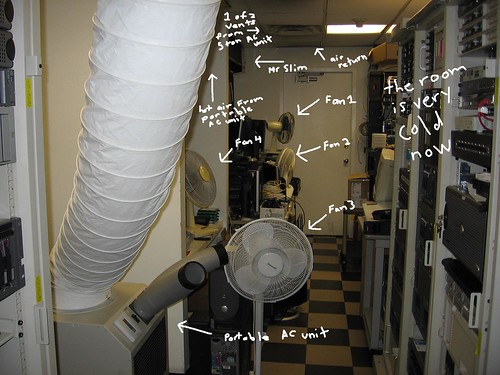
Over the weekend the AC unit in our server room went out. It happened sometime late Friday night. The room being so small and full with other crap caused the room to heat up in a matter of minutes. As a result of this the servers started shutting themselves down.

We have a dedicated AC unit like any other server room would have. The problem is that the unit is connected to our building central fire until. Something went wrong with the fire command unit last week as there were tests and the HVAC repair guys in most of the week fixing other related issue. Over the weekend the fire command unit cut the power to the AC units in the building. This caused what could have been a nasty chair reaction to occur. Resulting in me and other coworkers racing in on Saturday morning.

How did we know something was wrong? The internet connection to the office went out. The firewall shutdown. So no email notifications could go out. We found out b/c one of us was trying to work from home on Saturday morning and noticed the VPN down, OWA down, ftp down. So I had a pretty interesting weekend. Now to get to the bottom of WTF the building is up to with their fire command unit. In the past 2 weeks our dedicated AC unit for our server room went out 3 times now and the funny thing is it's not even all that hot here in NY. I could understand if this was the week we had a heatwave but it's not. It's in the low 80's when all of this as been happening. So now I am looking into a Sensaphone 1400. Someone wants to charge us $4800 for it. I know nothing about this device but from the description it looks pretty good.

Here is what we are doing to ensure the room stays cool right now LOL!!!
cool _room
They all will be removed when we are sure the building has their act together.

Cisco IPT installation update

So what have I been up to?

Well, we rolled out the cisco phone system. The system got configured and is up and running without any problems. We are still using our old PBX and only a hand full of users are on the new system now. I am trying to make this as smooth as possible but have run into one snag.

On the old system we use 4 digit extensions on the Cisco system we use 4 digit extension. So what the issue? Well the, T1 connection between the old and new system require anyone on the old PBX to dial an access code to connect anyone on the Cisco system. So if I am on the old system I have to dial an access number say (6) then the 4 digit extension. This is going to be a huge hassle. We are going to have to tell all the users to enter an extra digit to speak to the users on the new system. But if you are on the new system you don't have to dial that extra digit. All kinds of confusion can happen.

So why can't we setup the systems to hide a digit so it seems like no matter what system a user is on they will only dial 4 digits? Problem is that our PBS was never upgraded though out the years and we do not have an option for coordinated dial plan (CDP). This will allow the PBX to hide or insert a digit right after the access number is pressed. So if the access number is (6) and the extension to the new system is 7560 the PBX will be smart enough to insert the (7) at the beginning of the extension right after you press the access code number of (6). This also brings up other issues down the road as well.

Why can't we do this from the Cisco end then? Well, we can but the PBX will only issue 4 digits. It will only allow use to dial 4 digits once their is a dial tone. If the PBX allowed us to issues only 3 digits we could easily have the Cisco system add a digit. How do I know??? We already got this to work. WHAT? Yes we got this to work then the very next day we come in and it's not working. WTF!!!!!!!! We call in consultants and a PBX guy. The PBX guys are saying we have to spend 30K to upgrade the system just to allows coordinated dial plans (CDP). Screw them. We're not going to spend 30K and will only keep the PBX for 6 months until we get everyone on the Cisco system.

Monday, August 14, 2006

What once was

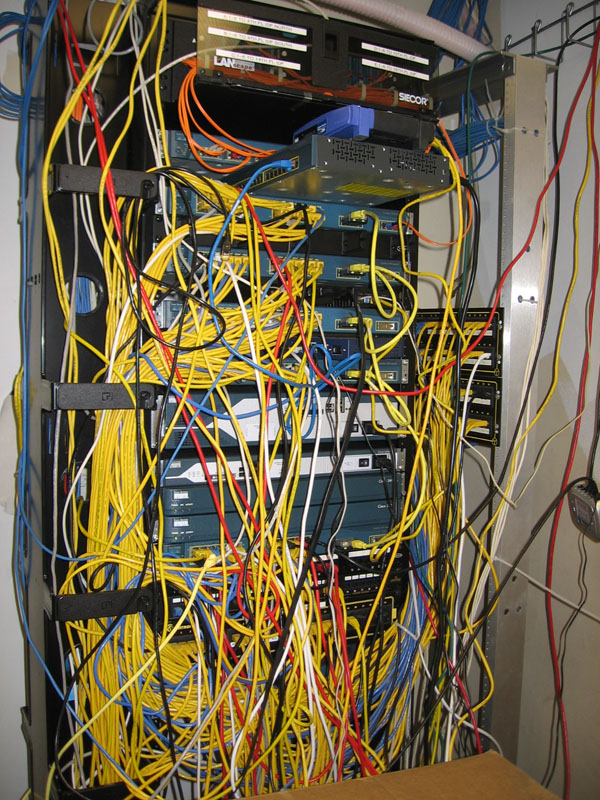
Well since sloppy wiring seem to be flying around the net as of late I'll proudly display what my core rack USE to look like ;)

This is what happens when you have to scramble for space for a parallel network installation.
Can anyone spot the hanging switch???
How about the cliff jumping Linksys???
What about the DMZ that dubbed as a perch???
wiring

Thursday, August 03, 2006

The light

Just gimmie the light and pass the...

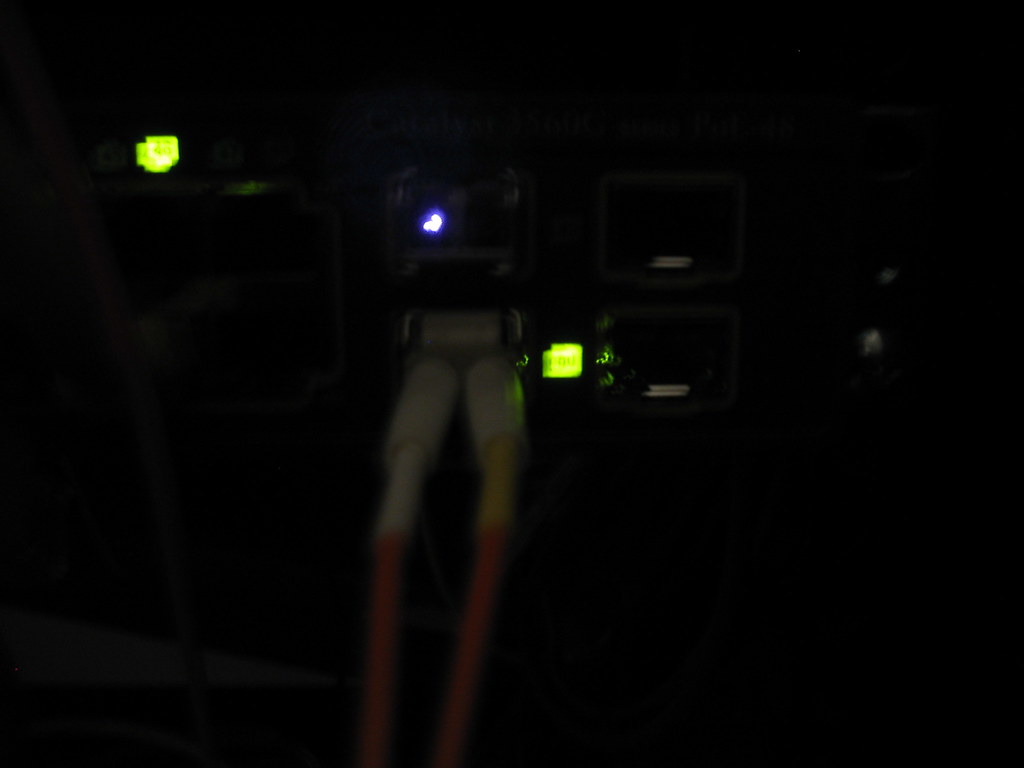
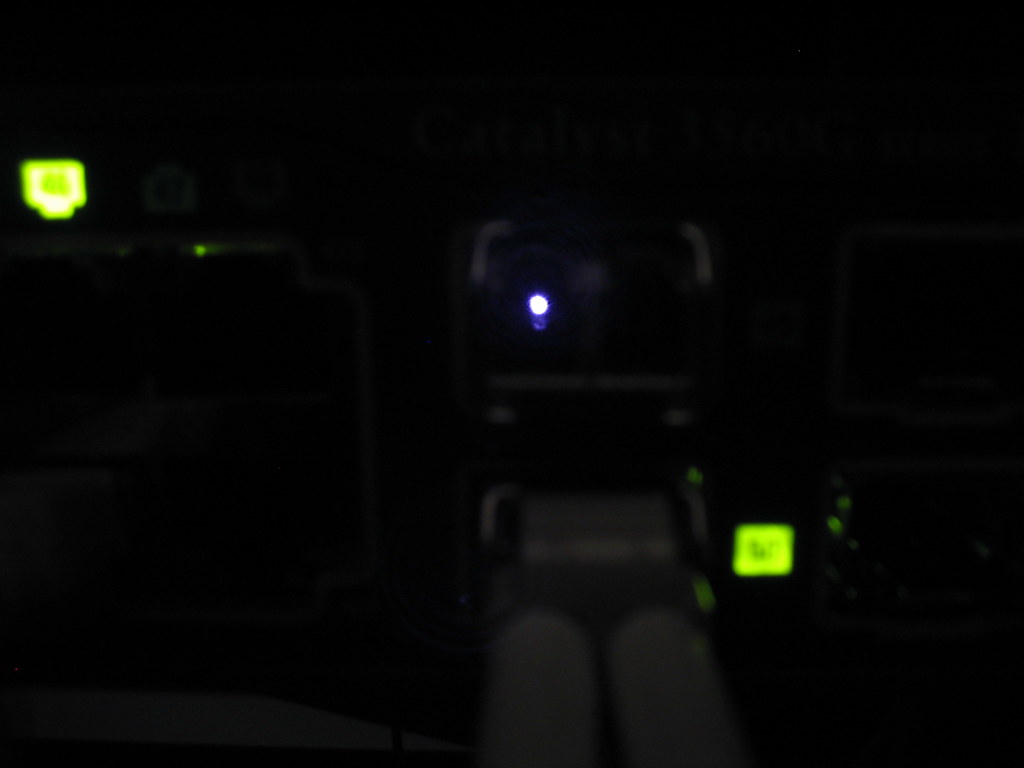
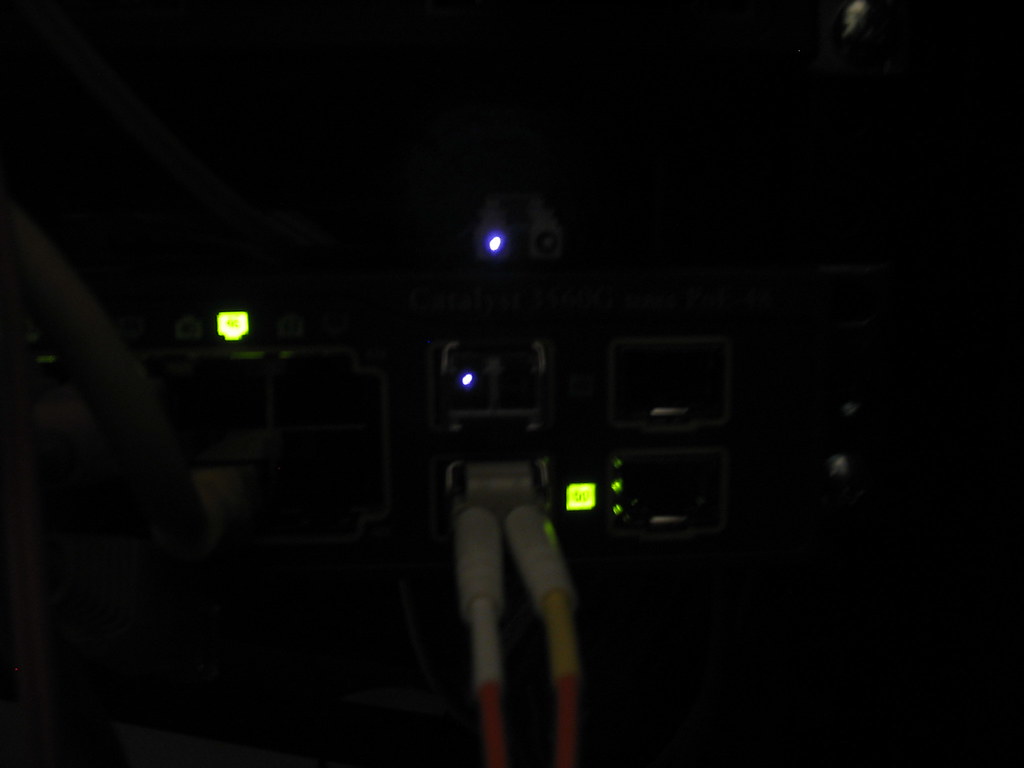
To the naked eye the light from a connected fiber cable is red but to the camera's eye it's white.

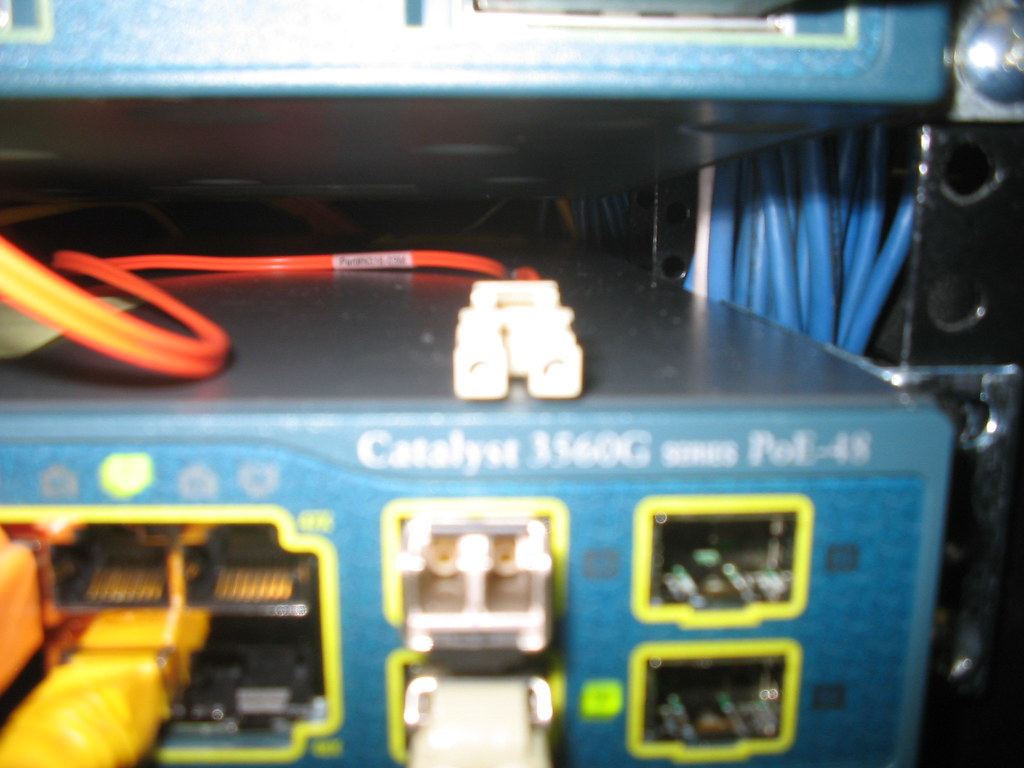
Here is the light from the gig port once an LC connector SX transceiver is installed. (these little bastards can get expensive)
the fiber light1

the fiber light2

Here is the LC/SC fiber cable this is the LC side.
the fiber light3

cable and port

You notice that only one side is lit that's b/c one side sends and one side receives data.

Monday, July 31, 2006

A peek inside the DHCP server

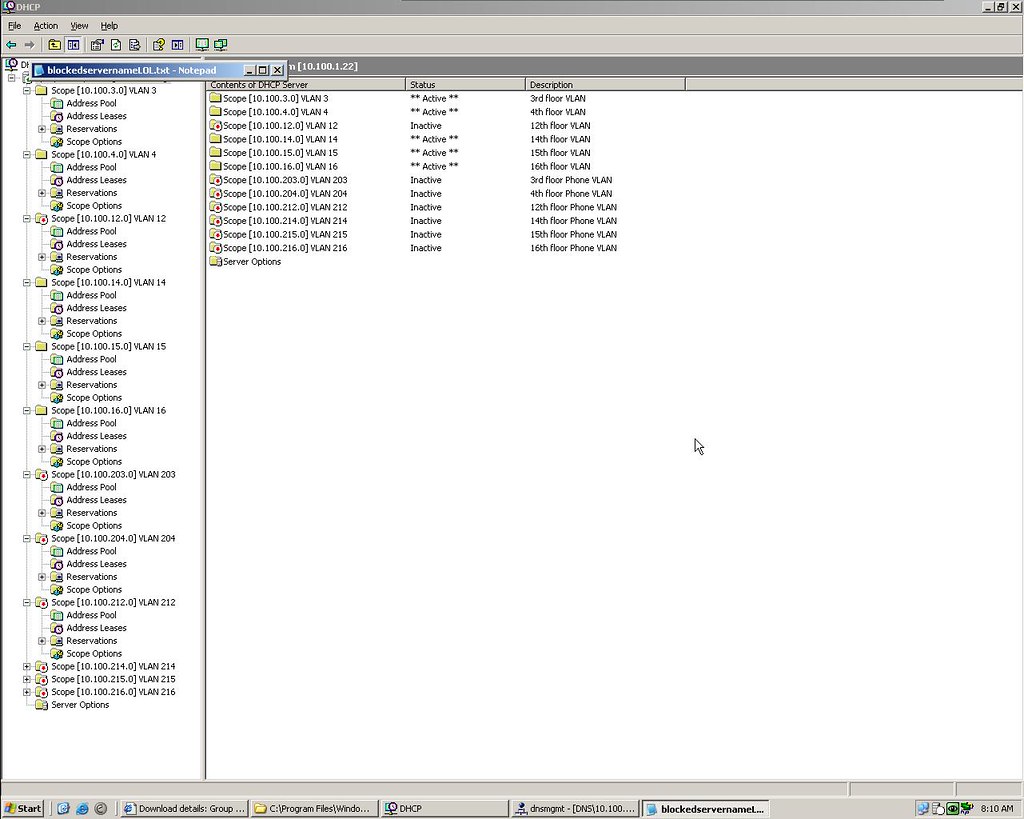
Here is what the DHCP server looks like for a network with VLANs on every floor and a VOIP system.

DHCP

From the pic you can see all the scopes created. What is happening here as I mentioned before is that each floor is it own VLAN and each VLAN gets their IP from the scope that it's associated with. Remember that IP helper address I told you about (10.100.1.22) well this is the server.

You will also notice more than half my scopes are inactive. This is b/c the 12th floor isn't online as of yet. Also the other scopes are for the IP phones for each floor too. Those aren't rolled out yet either. Yes the phones need a scope too. They will have IP's as well.

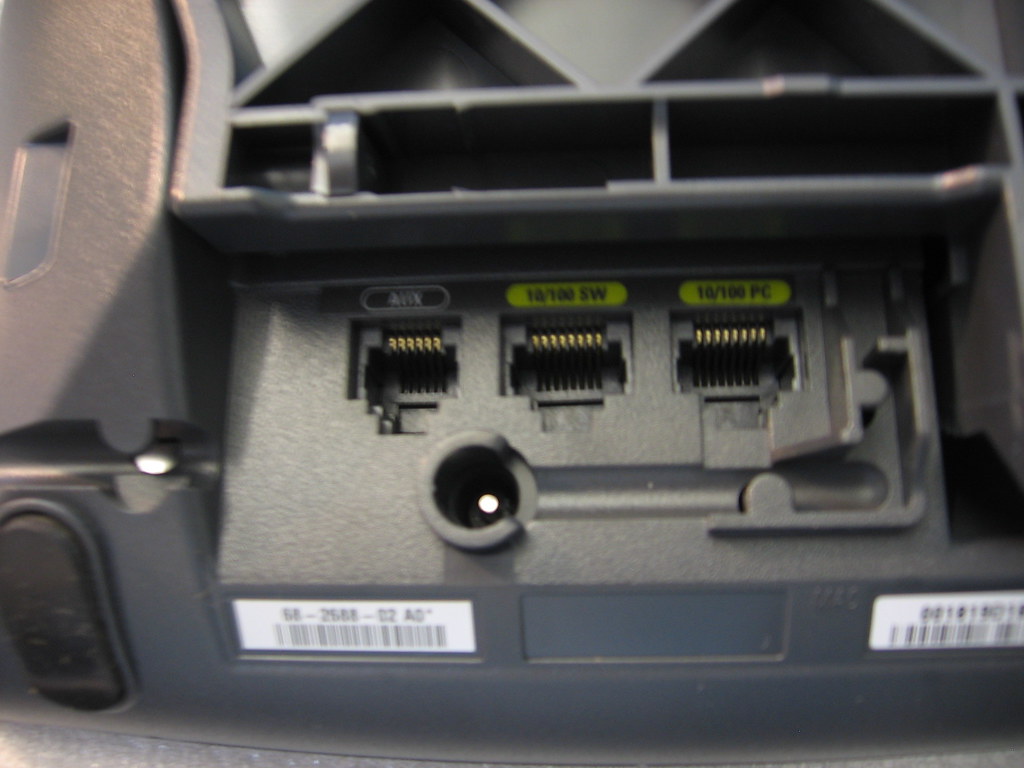
For the ones that don't know the IP phone plugs into a standard RJ45 jack (the network jack)and your PC plugs into the phone. The IP phone is also a switch.

Bottom of a Cisco IP phone
10/100 SW goes into your network jack
10/100 PC connects to your PC
The AC power port you do not need if you have power over ethernet (PoE). Your access switches will power your IP phones.
bottom of 7941

Friday, July 28, 2006

Fiber cables and IPT stuff

I'm using three types of connections in my network. SC/SC, LC/SC, SC/SC.

SC/SC
LC/LC
The SC/SC cables go from the fiber panel to the core switch. They connect to one of the ports on the gig module on the 4506. This would be your backbone cable in the data center (depending on setup).

LC/SC
LC/SC
The LC/SC cable is from the fiber patch panel to an access switch. Or from a core switch to an access switch or from an old access witch to a newer model 3500xl to 3560 for example.

LC/LC
LC/LC
The LC/LC cables connect two access switch's together via the gig ports (depending on setup).


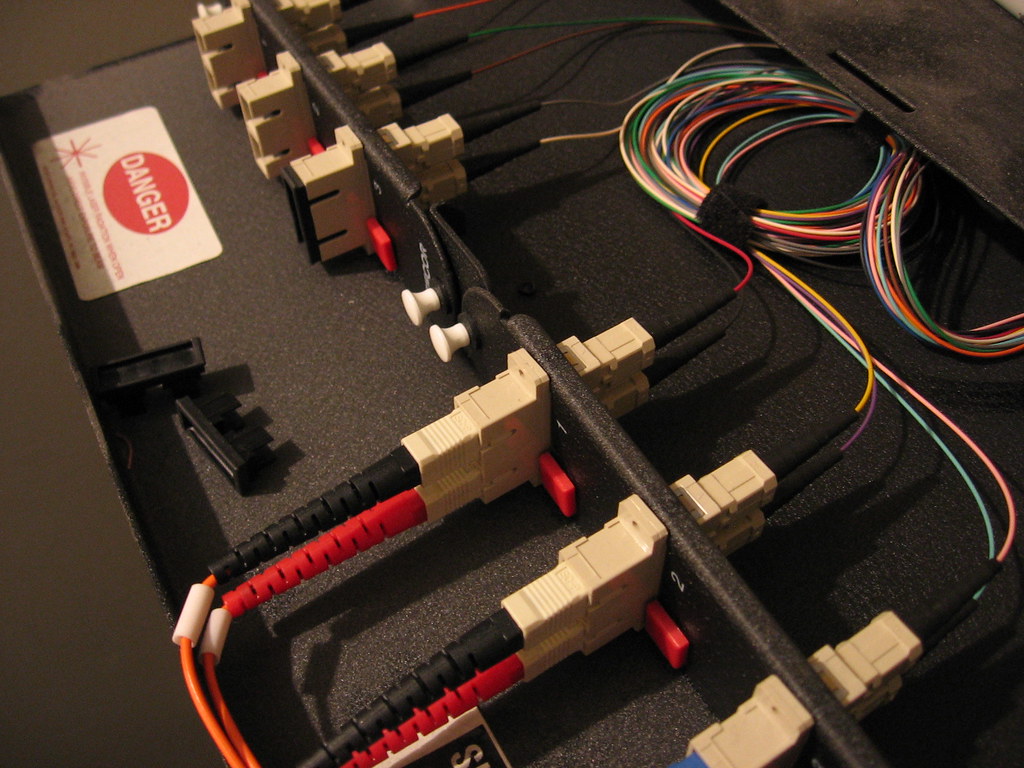
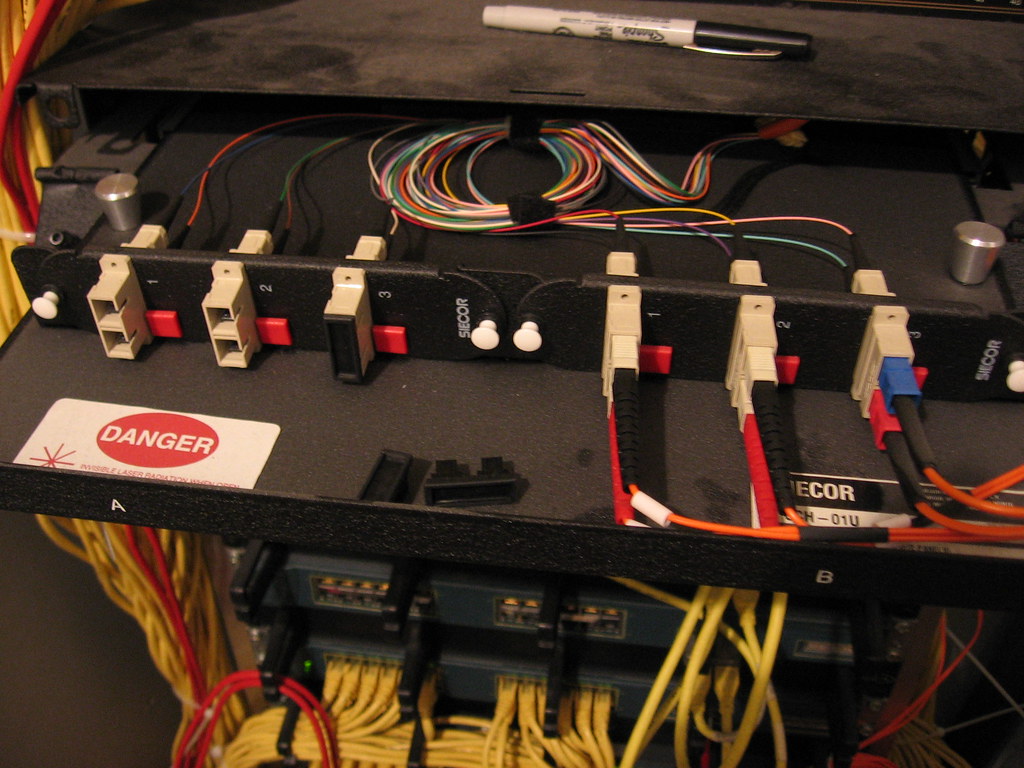
Here is my fiber panel in my data center. These go up to all my floors.
central fiber patch in data center
Each floor as six pair or 12 strands. Whoever installed this before my time did an excellent job with leaving room for growth. If we have to pull new fiber it would have cost us tens-of-thousands of dollars.

Fiber patch panel 3
A fiber panel on my 15th floor. We are only using two pair. (one is unplugged)

Fiber patch panel 2
(someone forgot to dust)

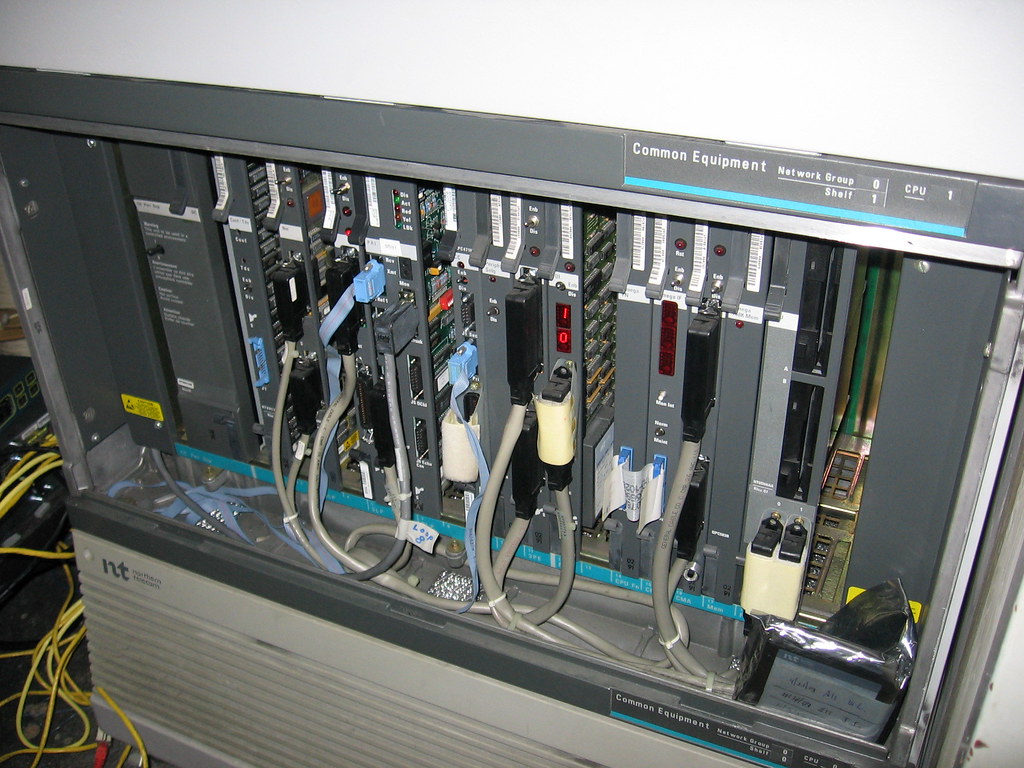
PBX and Cisco
lower lart of PBX

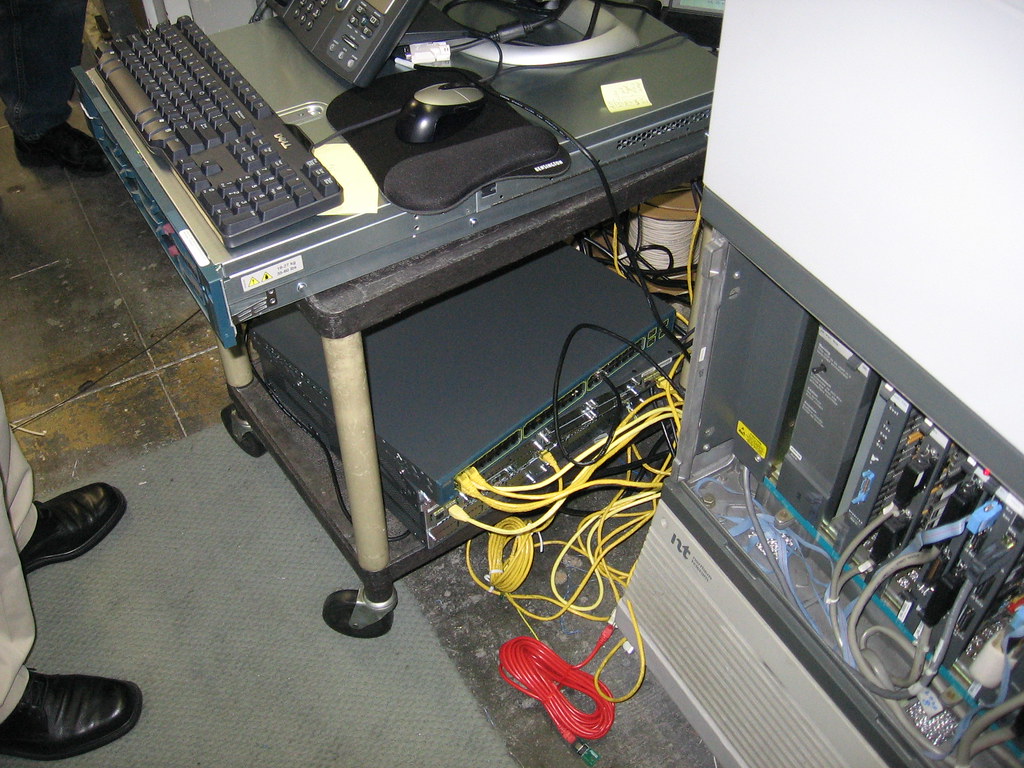
Cisco on the cart next to PBX
mobile VoIP on a rack
Call manager on top
3560 switch below
2811 gateway router
2851 gateway router

Red cable is the T1
The red cable represents the T1 link. This is the line that will connect the old PBX to the new Cisco system.

new rack for VoIP stuff
This rack will house the CM the Unity connect server the gateway along with a few UPS'. We will also get another CM in a few months when we get more phones.

Monday, July 24, 2006

This weeks agenda

-Call manager install. I'll blog that for sure.
-VLANs configured for QoS (may or may not happen this week)
-Nortel option 61 T1 card being installed in our PBX (this is to connect to the Cisco system since we are doing the hybrid approach). It's a T1 between both systems to be exact. Also the card for the PBX will require downtime. Damn it's a really old PBX system too...
-My gig E modules need to be installed but I was told this may require downtime. So a 7am installation is deffinitely on the agenda.
-New floor data cabling and some power install. Two separate vendors I have to coordinate with for this too. They are union guys too so they tend to drag jobs out.
-Very busy week.

Friday, July 21, 2006

My current VLAN setup

With our dual core setup we are fully redundant. All access layer switches (the ones on the floors and usually in pairs) have a connection to each core switch. The way this works physically is by connecting one fiber cable to one gig port all the way down to one core switch and one port on the second access switch to the other core in our data center. Then connecting one of the gig ports on the access switch to one port on the other access switch. The two cores are also connected to each other. Picture all four switches in a circle holding hands.

3560's in action

In the core we have our VLANs. As I explained in a past post each floor is a VLAN. The only way to make this physical redundancy work is to set it up virtually in the core. We have two core switches A&B. One is the root and the other is the standby. If the root core fails for whatever reason the standby is there. The setup on the core for redundant VLANs looks like this.

switch A

interface Vlan30
description CLIENT_FLOOR_30 VLAN
ip address 10.100.30.2 255.255.255.0
ip helper-address 10.100.1.22
ip helper-address 10.100.1.78
no ip redirects
no ip unreachables
no ip proxy-arp
standby 30 ip 10.100.30.1
standby 30 priority 105
standby 30 preempt


switch B

interface Vlan30
description CLIENT_FLOOR_30 VLAN
ip address 10.100.30.3 255.255.255.0
ip helper-address 10.100.1.22
ip helper-address 10.100.1.78
no ip redirects
no ip unreachables
no ip proxy-arp
standby 30 ip 10.100.30.1

This will only work if you have VTP (VLAN trunking protocol) setup obviously if you understand this far.

What is happening here is that switch A is the root and switch B is the standby. This is defined by the priority of 105.

Anywhere you see 30 represents the floor, so this VLAN would belong to the 30th floor.

The gateway of the clients on this VLAN is 10.100.30.1. Now 10.100.30.1 is on both switches and it is the HSRP (Hot Standby Router Protocol) address. So the A has a real address of 10.100.30.2 and B has a real address of 10.100.30.3 the virtual or HSRP is 10.100.30.1 and is linked to both switches by the (standby 30 10.100.30.1) command.

I'm just going over the main entries so stuff like no ip (redirect, unreachables, proxy-arp) you can google.

For VLANs the ip helper-address is important b/c broadcast do not cross VLANs (why would anyone want them to?) If you have a DHCP server that is in a SERVER VLAN just setting up the client VLANs and leaving with result in an entire network of workstation trying to find the DHCP server and not able to connect to anything. There are two simple ways to resolve this.
1. setup a DHCP server on every VLAN. This would be the dumbest and most inefficient thing to do.
2. add an ip helper-address statement (ip helper-address 10.100.1.22)to allow the client VLAN to find the server in the SERVER VLAN. 10.100.1.22 would be my DHCP server and this line would be in all my VLAN configs. Not only that but a scope for every client VLAN will have to be created in your DHCP server. So the scope created for the network on the 30th floor would be set to give out IP as such;
10.100.30.100-254 /24.

You can also see that I have another ip helper-address there. That is for another server that uses broadcasts to communicate with the clients.

For the configs above if I had a network that spanned across a 30 floor building I would have a VLAN for every floor that would look the same way. I also have a management VLAN, Server VLAN, Voice VLAN, Video VLAN, Printer VLAN, Wireless VLAN etc...

You can see how complicated this can get and this is only VLANs we are dealing with here.

Wednesday, July 19, 2006

Cisco phones are in

As I am typing this up I don't even know the exact model number of them LOL. I'll update that when I get the pics of them up.
(update 7941)
cisco 7941

My desk area is in shambles. 100 phones in 20 boxes piled up by my desk.
VOIP hardware behind desk

Along with 2 GigE expansion blades for both 4506's a few trunk adapters (I think that's what the box said)
gig Eth module

2 routers and a server, voice gateway and call manager (unity server not here yet). I didn't bother check for details been too busy with other things.
7800

Here are the pics.

Monday, July 10, 2006

What's next?

While I was out we got the go ahead to acquire another floor in the building. This floor will accommodate a least 65 users. We will have to core fiber from one of our other floors. We can't drop a patch cable out the window like we did a few years ago this time (true story).

This new floor will get all new cabling and a dual fiber run to our 4506's, PoE switches and Cisco IP phones. We are finally moving over into the IPT boat. It will be a Cisco hybrid and work with our existing Nortel PBX. We will be using a Cisco CallManager 4.0-PBX Interoperability. New toys and new headaches.

I've been doing a lot of Cisco stuff lately. Very fun stuff.

I am back from my month off.

And you thought 2 weeks or even a 3 day weekend went by fast. My month flew like the wind. Some would have tried to squeeze in a mini vacation and travel not me. I was home enjoying fatherhood.